10 Rich Result Unlock Guides

Unlocking FAQ Rich Results
Get expandable question-and-answer dropdowns showing directly under your search result.
Expandable FAQ dropdowns appearing directly under the standard blue link in search results, showing 2–4 questions and answers from the page. Expands the visual real estate of the listing and displays ...
Pro Tip Preview: FAQ rich results may be restricted for your client’s site type.

Unlocking Product Rich Results
Show price, availability, and review stars directly in your product search listings.
Product listings in Google Search showing price, availability status, and review stars directly in the search result. Also enables eligibility for Google Shopping surfaces. Significantly increases CTR...
Pro Tip Preview: A $0 price is valid schema — omitting price entirely is not.

Unlocking Review Rich Results
Display your star rating directly in search results — even for non-product pages.
Star rating display appearing in the search result snippet. Available for products, local businesses, books, courses, recipes, and other qualifying content types. Increases CTR by 15–30% at equivalent...
Pro Tip Preview: Technically valid AggregateRating schema can still produce no stars if reviews are self-serving.
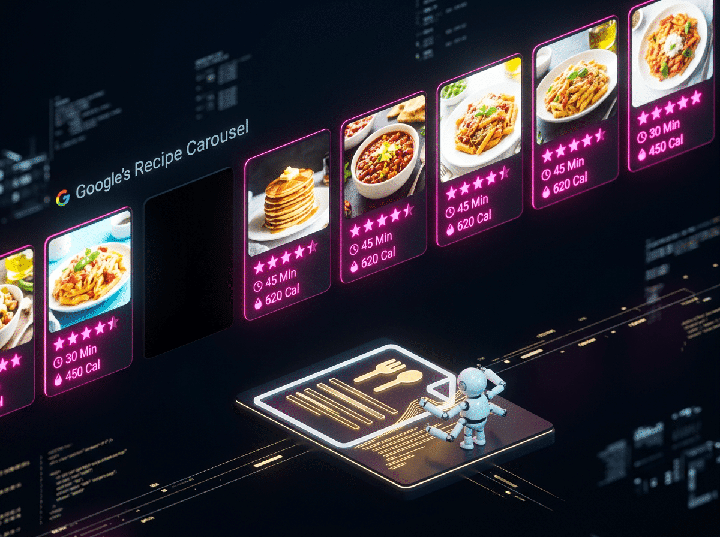
Unlocking Recipe Rich Results
Show cooking time, calorie counts, and ratings directly in recipe search results.
Recipe-specific rich results showing cooking time, prep time, calorie count, and star rating in search results. Eligibility for the Recipe Carousel — a highly prominent horizontal carousel appearing a...
Pro Tip Preview: recipeInstructions as plain text is the most common Recipe schema failure — and the easiest to fix.

Unlocking Event Rich Results
Surface your events in Google’s Events carousel above organic results.
Appearance in Google’s Events carousel — a prominent horizontal carousel showing upcoming events above traditional organic results for event-related queries. Event listings show the event name, date, ...
Pro Tip Preview: Build Event schema into the event creation workflow — not as an afterthought.

Unlocking Video Rich Results
Get video thumbnails showing in standard search results alongside your text content.
A video thumbnail appearing in the standard text search result for the page, making the listing visually stand out from all adjacent text-only results. For self-hosted video, also enables indexation i...
Pro Tip Preview: Host your own thumbnail — YouTube thumbnails fail silently.

Unlocking Breadcrumb Rich Results
Replace ugly URLs in search results with a clean, readable breadcrumb trail.
The URL display in search results changes from the raw URL to a human-readable breadcrumb trail (Home > Category > Subcategory > Page Name). Makes listings easier to scan and understand before clickin...
Pro Tip Preview: Use the visual breadcrumb on the page as the exact source for schema content.

Unlocking Local Business Rich Results
Get your business information displaying in Google’s Knowledge Panel.
Enhanced Knowledge Panel appearance for branded searches showing business hours, location, contact information, and photos directly in the search results. Also strengthens local pack ranking authority...
Pro Tip Preview: geo coordinates are more important than most agencies realize.

Unlocking Sitelinks Search Box
Add a search box to your Google search listing so users can search your site directly.
A search input field appearing directly under the brand’s main search listing for branded queries. Users can type a search query into the box and be taken directly to the site’s internal search result...
Pro Tip Preview: Sitelinks Search Box appearance is entirely Google’s decision — schema is just eligibility.

Unlocking Course, Software App, and Speakable Rich Results
Three advanced rich result types most agencies have never implemented.
Course: Rich result showing course name, description, provider, and price for online learning content. SoftwareApplication: App store-style rich result showing software name, operating system, price, ...
Pro Tip Preview: Speakable is the most underimplemented schema in existence — and one of the most valuable for AI search.