
Stand Alone Services Types:
Clear The Errors Holding Your Clients' Sites Back in Google
White-labeled Search Console audit, coverage error resolution, sitemap optimisation, and ongoing monitoring — per client site, under your agency brand.
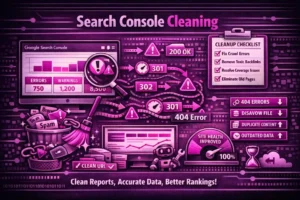
Most agency client sites have Search Consoles full of unresolved errors — thousands of ‘discovered — not indexed’ pages, soft 404s returning false 200 statuses, mobile usability warnings flagged months ago, and sitemaps still including redirected or noindexed URLs. These aren’t just cosmetic issues. They directly affect which pages Google indexes, how efficiently it crawls the site, and whether your client’s most valuable content is ever seen in search results. We systematically work through every issue, resolve what can be fixed, and deliver a clean Search Console with an ongoing monitoring setup — all white-labeled under your agency brand.
What Search Console Management Service Includes
Google Search Console is the most important diagnostic tool in technical SEO — but most agency clients have never properly actioned what it’s telling them. This service works through every coverage issue, resolves critical errors, optimizes the sitemap, and sets up monitoring so your client has a clean, reliable Search Console you can report from with confidence.
Order this for clients who:
- Have high numbers of ‘discovered — not indexed’ or ‘crawled — not indexed’ pages in Search Console that haven’t been investigated
- Have never had Search Console properly set up and verified — domain property, associations, and sitemap submission all unconfirmed
- Are preparing for a technical audit where a clean Search Console baseline is needed
- Have recently migrated platforms and have Search Console full of errors from old URLs
- Show mobile usability warnings that have been outstanding for months
- Have manual actions or security issues flagged that haven’t been addressed
What We Deliver For Your Client
Initial Property Setup & Verification
- Verify domain property and ensure all relevant protocols are connected
- Set up both www and non-www versions (if applicable)
- Configure associations with Google Business Profile and GA4 (where applicable)
"Crawled – currently not indexed"
- Investigation into why Google is choosing not to index the client's crawled pages
- Assessment of each page type — should it be indexed (quality improvement needed) or intentionally excluded (thin content, duplicate)
- Clear strategic recommendation for each category: improve, noindex, or remove — documented in a white-labeled report your agency can act on or present to the client
"Discovered – currently not indexed"
- Diagnosis of why the client's pages were discovered but not indexed — common causes include orphaned pages with no internal links, thin content signals, or crawl budget constraints
- Identification of which pages are worth fighting for versus which should be deprioritized
- Prioritized action plan for the pages most likely to benefit from indexation — with specific remediation steps
Soft 404 Errors
- Identify pages returning 200 status codes but treated as 404s
- Fix underlying issues (thin content, template problems)
- Properly implement 301 redirects or 404s where appropriate
404 Errors That Matter
- Identify 404 errors with historical traffic or inbound links
- Create redirect strategy for valuable lost pages
- Clean up 404s from old URLs no longer relevant
Sitemap Optimization & Submission
- Audit existing XML sitemaps for accuracy
- Remove URLs that shouldn't be in sitemaps (noindex pages, redirects, etc.)
- Create or optimize sitemap structure for large sites
- Submit clean sitemaps to Search Console
- Monitor sitemap processing and resolve submission errors
Mobile Usability Issue Resolution
- Fix common mobile usability issues flagged by GSC
- Resolve "text too small to read" warnings
- Fix "clickable elements too close together" issues
- Address viewport configuration problems
Page Experience & Core Web Vitals Monitoring
- Set up Core Web Vitals tracking in Search Console
- Identify pages failing CWV thresholds
- Provide high-level recommendations for improvement (detailed fixes may require Page Speed service)
Manual Action & Security Issue Review
- Check for manual penalties or security issues
- If present, provide resolution guidance or escalate to specialized remediation
Redirect Issues (301, 302, 307)
- Fix redirect chains and loops
- Ensure proper redirect implementation
- Validate that redirects point to relevant targets
What your agency receives — ready to present to your client:
White-labeled Search Console cleanup report
- All issues found, actions taken, and recommendations for items requiring developer work or content changes
- Before/after coverage comparison showing the improvement
- Clean, validated XML sitemap(s) submitted to Search Console with processing confirmed
- Sitemap structure documentation your client can maintain going forward
- Ongoing monitoring setup recommendations — alert configuration and check-in schedule your agency can follow for this client
Sitemap Documentation
- Clean, validated XML sitemap(s)
- Sitemap structure explanation
- Submission confirmation and indexing status
Ongoing Monitoring Setup (optional add-on)
- Custom email alerts for critical errors
- Weekly or monthly coverage monitoring
- Recommended check-in schedule for your team
FAQs
Common Questions
We need full property access to Google Search Console for the client's domain. Your agency arranges this — you add us as a user within the client's Search Console property with the appropriate permission level. We never contact the client directly to request access or discuss the project. Once the work is complete and the report is delivered, you can remove our access at any time.
It varies by issue type. Some errors clear within days once the underlying fix is live — particularly coverage errors on pages where the issue has been directly resolved. Others, like 'discovered — not indexed' classifications, depend on when Googlebot re-crawls the affected pages and can take several weeks to fully reflect in Search Console data. We document which issues should clear quickly and which require patience, so your agency can set accurate expectations with the client.
Not always, and not all of them should be. 'Discovered — not indexed' covers a wide range of situations — some pages aren't indexed because they genuinely shouldn't be (thin content, near-duplicate pages, parameter-based URLs), and forcing them into the index would do more harm than good. Others represent legitimate content that Google hasn't prioritised. We triage every case, separate the pages worth pursuing from those that should remain out of the index, and provide a clear action plan for each category.
Both, where possible. Issues that can be resolved directly within Search Console — sitemap submission, coverage error investigation, URL inspection, property configuration — are handled as part of the service. Issues that require changes to the site's code, content, or architecture are documented with detailed specifications your client's developer can implement. We're clear about which category each issue falls into so your agency knows exactly what's included and what requires follow-up development work.
We include monitoring recommendations as part of every Search Console project. At minimum, email alerts for critical coverage errors and security issues should be configured in Search Console directly — these are free and take minutes to set up. Beyond that, a monthly check-in covering coverage changes, indexation trends, and new mobile usability warnings is sufficient for most stable client sites. For high-volume publishing sites or active e-commerce stores, bi-weekly monitoring is more appropriate. We document the recommended schedule and what to watch for as part of the handover report.
How This Works
Step 1 — You arrange access
You provide us with Search Console access for the client's property through your agency — we never contact the client directly to request this.
Step 2 — We audit and clean
We work through every coverage error, sitemap issue, mobile usability warning, and indexation problem systematically.
Step 3 — We validate and document
We confirm every resolution is live in Search Console, document what was found, what was fixed, and what requires further development work from the client's team.
Step 4 — We hand everything back to you
Final white-labeled report delivered to your agency, formatted for client presentation, with ongoing monitoring recommendations your team can follow.
Search Console Management Pricing
White-label report included. Most agencies resell Standard at $1,400–$1,700.
Basic
6-8 hrs
$500
- GSC property verification & setup
- Coverage error audit report
- Sitemap audit & resubmission
- Top 404 redirect recommendations
Standard
12-14 hrs
$975
- Everything in Basic
- Full indexation issue resolution
- Soft 404 & redirect chain fixes
- Mobile usability issue fixes
- Cleanup report + before/after
Premium
20-24 hrs
$1750
- Everything in Standard
- Ongoing monthly monitoring
- Custom GSC alerts setup
- Manual action review
- Quarterly performance check-in
Ready to Add Technical SEO and AI Optimization to Your Service Menu?
Book a free 30-minute partner strategy call. We’ll walk through your client roster, identify which services fit, show you the AI Analytics Platform live, and confirm pricing. No obligation.