
Why Is My Site Not Being Indexed by Google?
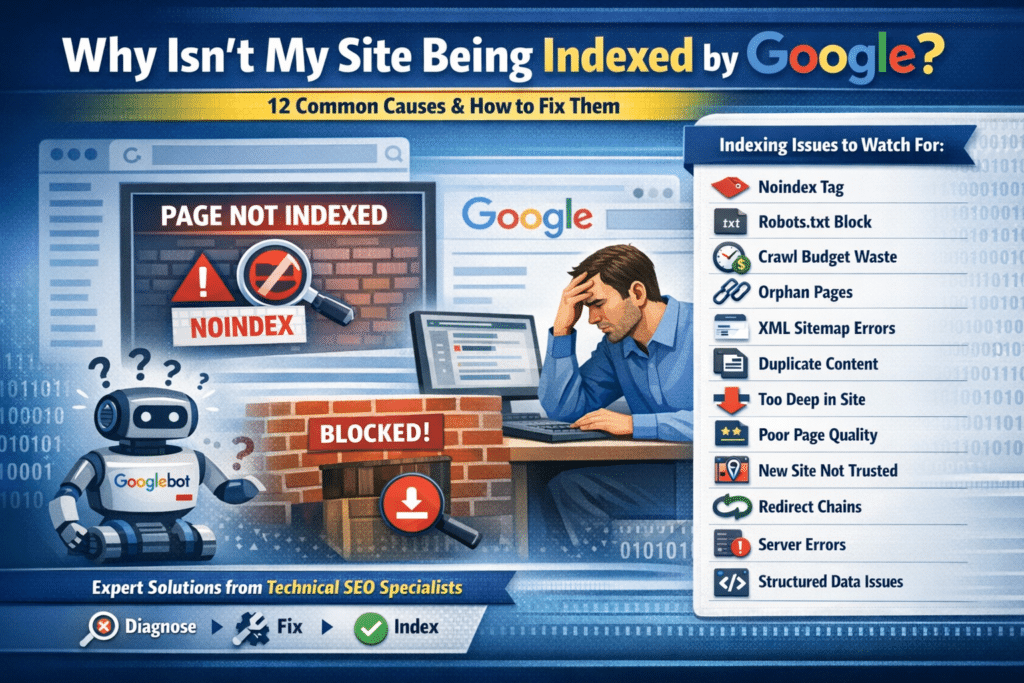
Few things are more frustrating than publishing content and watching it disappear into a void: no rankings, no traffic, no sign that Google has visited at all. If your site or pages aren’t being indexed by Google, no amount of content creation, link building, or paid advertising will compensate for that fundamental visibility gap.
Indexation issues are more common than most people realize and they’re almost always fixable once you understand what’s causing them. This guide covers the 12 most common reasons Google isn’t indexing your site, how to diagnose each one, and the specific steps to resolve them.
How Google Indexing Actually Works
Before diagnosing indexation problems, it helps to understand the three-stage process Google uses to include a page in search results:
- Crawling — Googlebot discovers your page by following links or reading your sitemap
- Processing — Google reads the page content, evaluates its quality, and decides whether it’s worth indexing
- Indexing — Google adds the page to its index, making it eligible to appear in search results
- A breakdown at any of these three stages results in a page that doesn’t appear in Google search.
The fix depends on where the breakdown is occurring which is why diagnosis comes before remediation.
How to Check If Your Pages Are Indexed
Before troubleshooting, confirm which pages are actually missing from Google’s index. In Google Search
Console, navigate to Pages > Why pages aren’t indexed. This report categorizes every URL Google has
encountered and explains why it isn’t indexed. You can also type site:yourdomain.com into Google to see
approximately how many pages are indexed, or use the URL Inspection Tool in Search Console to check the exact indexation status of any specific URL.
The 12 Most Common Reasons Google Isn’t Indexing Your Site
- Noindex Tag Is Blocking Indexation
The most common cause of indexation issues is a noindex tag on the page itself. This tag explicitly tells Google not to index the page. Check your page source for in the head section. This is sometimes added during development and never removed before launch. - Blocked in Robots.txt
Your robots.txt file tells crawlers which pages they’re allowed to access. Visit yourdomain.com/robots.txt and look for Disallow rules that might cover your important pages. Use Google Search Console’s robots.txt tester to verify before making changes, robots.txt affects everything Googlebot does on your site. - Crawl Budget Is Being Wasted
Google allocates a limited number of crawls to each site per day. If that budget is consumed by low-value pages, parameter-based URLs, duplicate content, thin archive pages, your important pages may never get crawled. Pull a log file analysis to see exactly which pages Googlebot is visiting. Block low-value URL patterns in robots.txt and use canonical tags to consolidate duplicates. - Pages Are Orphaned — No Internal Links
Google discovers pages primarily by following links. If a page has no internal links pointing to it, Googlebot may never find it regardless of whether it’s in your sitemap. Use a crawl tool to identify pages with zero internal links, then add contextually relevant links from established pages to orphaned content. - XML Sitemap Contains Errors
Your XML sitemap should be a clean list of indexable URLs. If it includes noindexed pages, redirected URLs, or pages returning errors, you’re sending Google conflicting signals. Rebuild your sitemap to include only canonical, indexable URLs returning a 200 status, and resubmit in Search Console after cleanup. - Duplicate Content Without Canonical Tags
If multiple URLs serve similar or identical content without canonical tags specifying which version Google should index, Google may index the wrong version or none at all. Implement self-referencing canonical tags on all pages, and ensure that paginated, filtered, or parameter-based URLs either have canonical tags or are blocked from indexation. - Pages Are Too Deep in the Site Architecture
Google generally crawls to a depth of 3-4 clicks from the homepage. Pages buried 5, 6, or 7 levels deep may be technically accessible but rarely crawled. Use a crawl tool to generate a crawl depth report, then restructure your navigation and internal linking to bring priority pages within 3 clicks of the homepage. - Page Quality Is Below Google’s Indexation Threshold
Google doesn’t index every page it finds it makes a quality judgment. Pages that are extremely thin, highly similar to other pages, or provide no clear value to a user may be crawled but deliberately excluded from the index. Review “Crawled, currently not indexed” pages in Search Console and substantially improve the content quality or merge thin pages into more comprehensive ones. - The Site Is Too New
Google takes time to trust new domains. A brand new website may have its pages crawled but not indexed for weeks as Google evaluates the site’s credibility. Build external links from established relevant websites, submit your sitemap, publish substantive original content consistently, and use internal linking from day one to help Googlebot map your site structure early. - Redirect Chains Are Blocking Crawl Efficiency
If a page has been through multiple redirects — A to B to C to D — Googlebot may follow the first hop or two and then give up. Use a crawl tool to identify redirect chains and update all redirects to go directly to the final destination in a single hop. Also update internal links to point directly to the canonical URL. - Server Errors Are Preventing Crawling
If your server returns 5xx errors when Googlebot visits, it will retry later, but persistent server errors cause Google to reduce crawl frequency over time. Check Google Search Console’s Coverage report for server errors and review your server logs for 5xx responses to Googlebot’s user agent. - Structured Data Errors Are Reducing Trust
While structured data errors don’t directly block indexation, they send negative quality signals. Schema validation errors indicate to Google that the site’s technical implementation may be unreliable. Use the Rich Results Test and review the Enhancement reports in Search Console for structured data errors, then resolve them with clean custom JSON-LD structured data.
The Right Order to Fix Indexation Issues
If you’re dealing with multiple indexation problems, address them in this order:
- Remove blocking factors first — noindex tags, robots.txt blocks (these are instant fixes)
- Fix crawl budget waste — rebuild sitemap, block low-value URLs
- Resolve technical errors — redirect chains, server errors, canonical conflicts
- Improve site architecture — internal linking depth and structure
- Improve content quality — address thin or duplicate content issues
- Monitor and confirm — use URL Inspection tool to request indexing, then track Search Console weekly
Getting Professional Help With Indexation Issues
Indexation problems are among the most technically complex issues in SEO and the most consequential. Every day a page isn’t indexed is a day it can’t rank, drive traffic, or generate leads. If your site has persistent indexation issues that internal resources haven’t resolved, Harper Media Group’s Technical SEO Audit service delivers a comprehensive diagnosis and prioritized remediation plan. Visit
harpermediagroup.com/technical-seo/ to learn more.
Outbound Resource: Google Search Central — How Google Search Works: official documentation on the
crawling, indexing, and serving process: https://developers.google.com/search/docs/fundamentals/how-search-works
